PinTagged helps you save, organize, and find places from Google Maps with categories, notes, and collections — across Chrome and Mobile. Your places. Always with you.
Get PinTagged
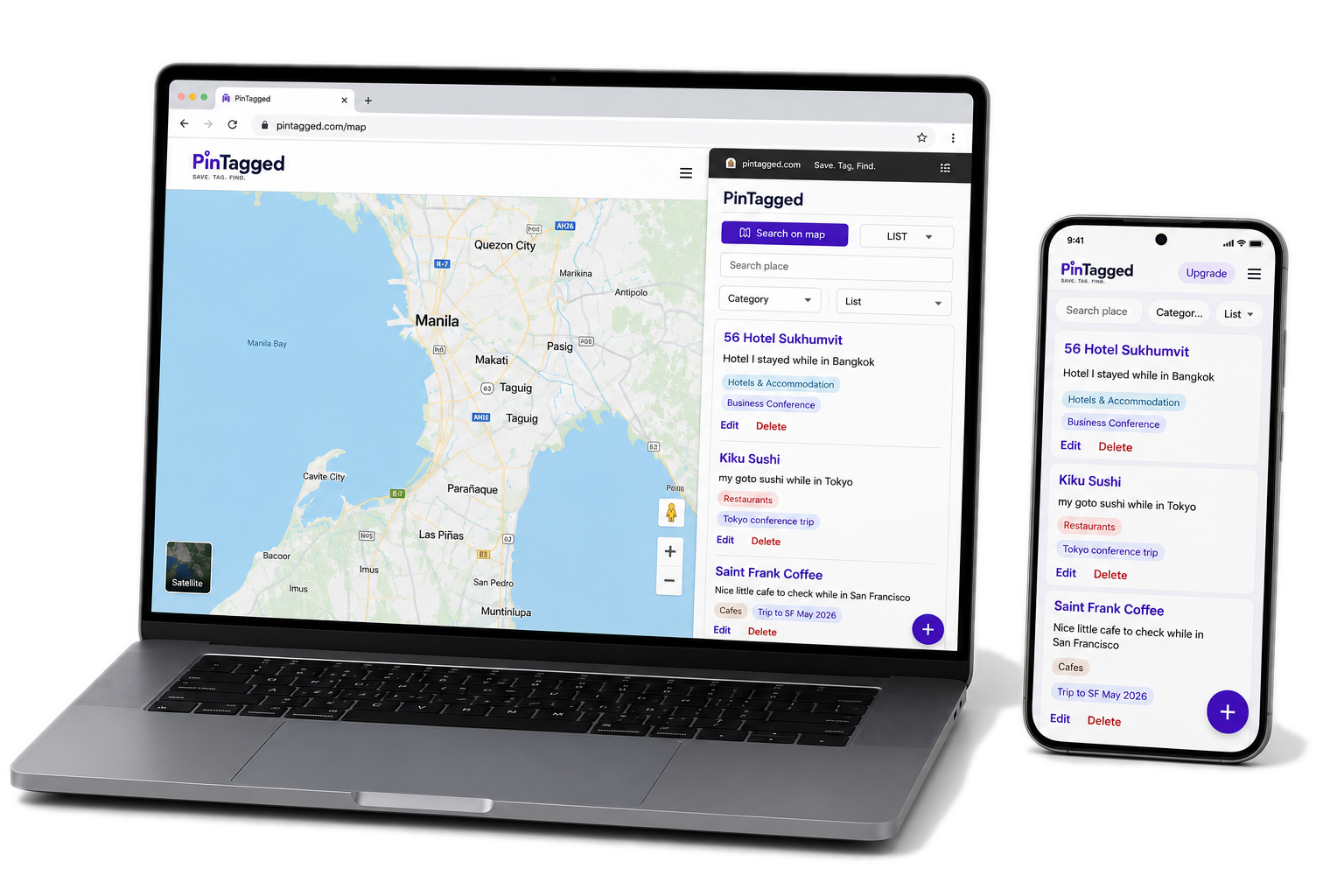
in 1 click
categories & collections
you'll actually remember
in seconds
Chrome + Mobile
Save places from Google Maps and never lose that restaurant, hotel, or spot you discovered.
Use categories and collections to keep everything tidy and easy to find.
Save on your computer, access on your phone. Everything syncs instantly.
Add your notes, pick categories, and build collections that make sense to you.
Your places are yours. We don't track, sell, or show you ads. Ever.
"PinTagged changed how I travel. I never lose places again and my trips are so much better."
Jessica M.
Frequent Traveler
"As a realtor, this helps me keep track of areas, properties and client notes perfectly."
Mark R.
Real Estate Agent
"Finally an app that makes Google Maps actually useful for organizing my saved places!"
Arielle S.
Food & Travel Blogger
Pro Yearly
$39.99/year
Save 33%
PinTagged is a browser extension and mobile app that lets you save, organize, and find places from Google Maps — restaurants, hotels, shops, anywhere you don't want to forget. Add categories, notes, and collections to keep everything organized your way.
Yes — PinTagged is available as a Chrome extension and as an app for iOS and Android.
Yes, automatically. Sign in with the same account on Chrome and mobile, and everything you save shows up on both.
No — PinTagged only runs on google.com/maps pages. It has no access to any other site you visit.
Yes. The Free plan includes all core features — categories, notes, collections, and sync between Chrome and mobile — with 10 free saves included, at no cost.
Pro removes the 10-save limit, so you can save as many places as you want, plus priority support. It's $4.99/month, or $39.99/year — a 33% savings versus paying monthly.
You'll need to upgrade to Pro to save more places. The 10 free saves are a one-time allowance, not storage space — deleting a saved place won't give you back a free save.
Open the "Upgrade to Pro" option while signed in. On Chrome/web, payment is handled securely through Paddle, our payment processor. On iOS, payment is handled through the Apple App Store. On Android, payment is handled through Google Play. PinTagged never sees or stores your card details on any platform.
Yes, anytime — where you cancel depends on how you subscribed. Chrome/web: from your account or the Paddle customer portal. iOS: in your iPhone's Settings app, under your Apple ID → Subscriptions. Android: in the Google Play Store app, under Payments & subscriptions. Cancellation stops future billing; it takes effect at the end of your current billing period rather than immediately.
Your saved places, categories, lists, and collections stay with your PinTagged account — nothing is deleted when Pro ends. If you do not have another active Pro entitlement, your account returns to the Free plan, and the 10 free saves remain a one-time lifetime allowance; they do not reset. If you have already made 10 or more lifetime saves, you will not be able to save new places while on Free. If you later resubscribe using the same PinTagged account, Pro and unlimited saving resume with all your existing data intact. A new or different account will not automatically inherit your saved places.
If you reinstalled the app or signed in on a new device, use "Restore Purchases" in the PinTagged account menu (iOS and Android) to reconnect your existing subscription — no need to pay again.
Subscriptions are billed in advance and are generally non-refundable once a billing period has started. Chrome/web purchases: email support@pintagged.com within 14 days of the charge and we'll review it promptly — full details are in our Refund Policy. iOS purchases: refunds are issued only by Apple — request one at reportaproblem.apple.com. Android purchases: request a refund through Google Play. Eligibility is determined under Google Play's applicable policies.
Just what's needed to run the service: your email address (for your account), the public details of places you save — name, address, hours, and similar information already shown on Google Maps — and any notes or categories you add yourself.
No. We don't sell your data, and we don't use third-party ads or tracking scripts of any kind.
Yes. Passwords are hashed with bcrypt before they ever touch our database — even we can't see or recover it. All traffic is encrypted (HTTPS/TLS).
Email support@pintagged.com and we'll delete your account and all associated data.
Email us anytime at support@pintagged.com — we aim to respond within 2 business days.
Stop losing amazing places.
Start organizing what matters.